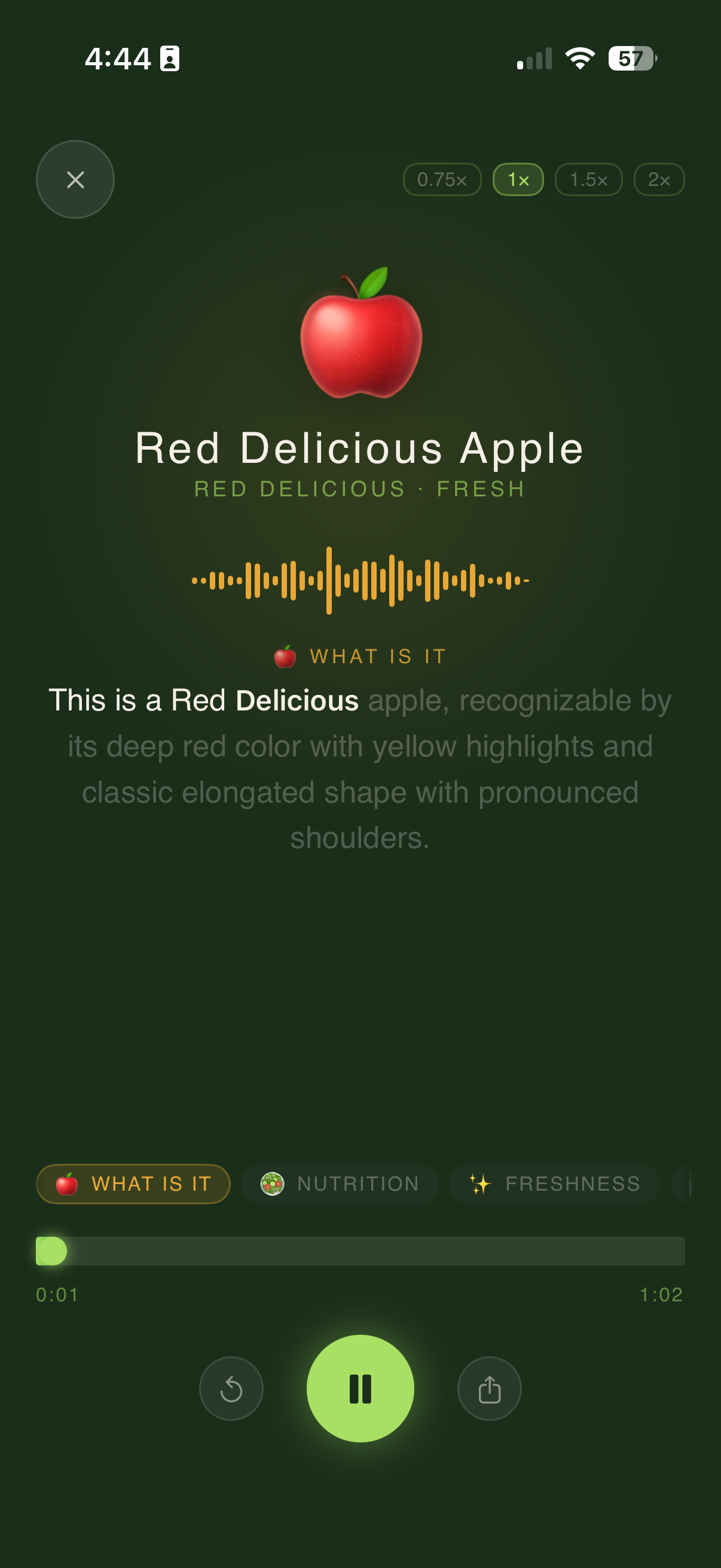
You point your phone at a tomato. Three seconds later, PluckFresh tells you it's at peak freshness with roughly two days of optimal quality remaining. It feels like magic — but behind that instant score is a layered computer vision system trained on thousands of produce images and refined by real-world user feedback.
We get asked constantly: how does the AI actually work? In this post, we're pulling back the curtain. No hand-waving, no buzzwords — just a clear, honest look at the science and engineering behind PluckFresh's produce freshness scanner.
Computer Vision 101: Teaching a Machine to See Freshness
At its core, PluckFresh uses computer vision — a branch of artificial intelligence that trains software to interpret and extract meaning from images. The same foundational technology powers facial recognition, self-driving cars, and medical imaging. We've adapted it for a more everyday problem: figuring out whether that avocado is ready to eat.
When you snap a photo of your produce, the image is fed into a convolutional neural network (CNN) — a type of deep learning model specifically designed for visual data. But the model isn't just "looking" at the photo the way you do. It's decomposing the image into layers of mathematical features that correlate with freshness.
What the Camera Sees vs. What the AI Sees
To your eyes, a banana is yellow with a few brown spots. To PluckFresh's model, that same banana is a rich data object with hundreds of measurable signals. Here's what the AI actually analyzes:
Color Histograms
The model generates a color histogram — a statistical distribution of every pixel's color value across the red, green, and blue (RGB) channels. A perfectly ripe banana has a very different histogram shape than an underripe or overripe one. The ratio of green-to-yellow pixels, the saturation depth, and the uniformity of color transitions all encode freshness information that's invisible to casual inspection.
Texture Analysis
Fresh produce has characteristic surface textures. A ripe strawberry has a consistent, slightly glossy surface with evenly distributed seeds. An aging strawberry develops dull patches, wrinkled skin, and irregular surface patterns. The model uses texture descriptors — mathematical representations of surface patterns — to quantify these differences at a granular level.
Shape and Contour Detection
As produce degrades, its shape changes. Berries shrink and wrinkle. Leafy greens wilt and curl. Bell peppers lose their taut, smooth contours. The model detects these shape deformations using edge detection and contour analysis, comparing the scanned item against known shape profiles for each freshness stage.
Blemish and Spot Detection
Dark spots, mold patches, bruising, and discoloration are strong freshness signals. The model isolates regions of anomalous color or texture and evaluates their size, spread, and position relative to the overall produce surface. A single small bruise on an apple is very different from widespread browning.
How It Feels in Practice
All of this analysis happens in roughly 3 seconds. You see a simple freshness score and storage recommendation. The complexity is invisible by design — PluckFresh does the heavy lifting so you don't have to become a food scientist at the grocery store.
The Training Data: Thousands of Images at Every Freshness Stage
A machine learning model is only as good as the data it learns from. PluckFresh's model was trained on a curated dataset of thousands of produce images spanning every major freshness stage — from just-harvested to well past prime.
For each produce type, the training set includes images captured under varied conditions:
- Different lighting — fluorescent grocery store lights, natural daylight, warm kitchen lighting, and low-light conditions
- Multiple angles — top-down, side-on, and angled views, since shoppers don't always frame photos perfectly
- Various backgrounds — countertops, store shelves, cutting boards, and hands holding produce
- All freshness stages — from unripe through peak freshness to visibly spoiled, with expert-labeled scores for each image
Every training image was reviewed and labeled by food science experts who assigned a ground-truth freshness score. This expert labeling is what gives the model its baseline accuracy — it learned freshness the same way a produce buyer would, just from thousands of examples instead of years of experience.
How the Freshness Score Is Calculated
PluckFresh doesn't rely on a single signal. The freshness score is a multi-factor weighted score that combines the outputs of several analysis layers:
- Color score (high weight) — How closely does the color profile match known-fresh examples of this produce type?
- Texture score (medium-high weight) — Does the surface texture indicate freshness, early aging, or degradation?
- Shape score (medium weight) — Is the contour consistent with a fresh specimen, or does it show signs of wilting, shrinking, or softening?
- Blemish score (variable weight) — Are there spots, mold, or bruises? How extensive are they?
- Contextual adjustments — The model accounts for produce-specific quirks. Brown spots on a banana mean something very different than brown spots on a strawberry.
These individual scores are combined using learned weights — the model itself determines how much each factor matters for each type of produce, based on patterns it discovered in the training data. The final output is a single, easy-to-read freshness score plus an estimated number of days at peak quality remaining.
The key insight is that freshness isn't one thing — it's a constellation of visual signals. The AI's advantage is that it evaluates all of them simultaneously, consistently, and without the fatigue or bias that affects human judgment.
What Makes Produce Freshness Harder Than Typical Image Classification
If you've heard of AI classifying images — "this is a cat, this is a dog" — you might wonder why produce freshness is any different. The short answer: it's significantly harder, for several reasons.
- Freshness is a spectrum, not a category. A banana isn't simply "fresh" or "not fresh." It moves through a continuous gradient from underripe to overripe. The model needs to predict where on that gradient an item falls, not just pick a label.
- Visual cues vary wildly across produce types. Browning means overripe for a banana but is perfectly natural for a kiwi's skin. The model must learn produce-specific scoring rules, not universal ones.
- Lighting and camera quality introduce noise. A photo taken under harsh fluorescent light can make a fresh apple look dull. The model must distinguish between "actually aging" and "bad photo conditions."
- Internal freshness doesn't always match external appearance. An avocado can look perfect on the outside and be brown inside. The model works with visual surface data, which means some internal degradation is inherently undetectable from a photo alone.
These challenges are why PluckFresh uses a multi-signal approach rather than relying on any single visual feature. No one signal is definitive, but together they create a reliable picture.
Accuracy and Limitations: What the AI Does Well and Where It's Still Improving
We believe in transparency about what our technology can and can't do.
Where PluckFresh excels
- High-contrast freshness changes: Produce where freshness produces visible, measurable changes — bananas, avocados, berries, leafy greens, tomatoes — is where the model performs best.
- Consistency: Unlike human judgment, the model doesn't get tired, distracted, or swayed by wishful thinking. It evaluates every photo against the same learned standard.
- Speed: A trained produce professional might take 15-20 seconds to evaluate a piece of fruit. PluckFresh does it in about 3.
Where we're still improving
- Produce with thick or opaque skins: Items like coconuts, pineapples, and watermelons hide their internal state behind thick rinds. Visual-only analysis has inherent limitations here.
- Rare or specialty produce: The model works best on common supermarket items. Less common varieties have less training data, which means less confidence in the score.
- Extreme lighting conditions: Very dark or heavily backlit photos can reduce accuracy. We're continually improving the model's robustness to poor photo quality.
Pro Tip
For the most accurate scan, photograph your produce in natural or even lighting against a neutral background. Avoid shadows across the item and try to capture the entire surface. The better the photo, the more data the AI has to work with.
Privacy: Your Photos Stay on Your Device
This is non-negotiable for us: PluckFresh processes all produce images entirely on your device. Your photos are never uploaded to our servers, never stored in any cloud database, and never used for any purpose beyond generating your freshness score in that moment.
We achieve this through on-device machine learning — the trained model runs locally on your iPhone using Apple's Core ML framework. The analysis happens in your phone's processor, not on a remote server. This approach has two major benefits:
- Complete privacy: No photos leave your device. Period. There's no server to breach, no database to leak, no data to sell.
- Speed and reliability: On-device processing means the scanner works without an internet connection. You can scan produce in a grocery store basement with zero bars of signal and still get your result in seconds.
We designed PluckFresh this way from day one because we believe a produce scanning app has no business collecting your photos. Your food is your business.
The Feedback Loop: How User Corrections Make the AI Smarter
Machine learning models aren't static — they improve over time. PluckFresh gets smarter through a carefully designed feedback loop that respects your privacy while still refining the model.
Here's how it works: after scanning a piece of produce, you can optionally tell PluckFresh whether the score felt accurate. Did that banana last as long as predicted? Was that avocado actually ripe when you cut it open? These simple yes/no feedback signals are collected — without any photos or personal data — and aggregated anonymously.
Over time, this anonymized feedback highlights patterns where the model over- or under-estimates freshness for specific produce types or ripeness stages. Our team uses these signals to adjust training weights, add new training examples, and fine-tune the model in subsequent app updates.
The result: the more people use PluckFresh, the more accurate it becomes for everyone. It's a virtuous cycle — your quick feedback today helps someone get a better avocado score tomorrow.
Your Feedback Matters
After you eat or use your scanned produce, take a second to tap the feedback button in PluckFresh. Was the freshness score accurate? Even a quick thumbs-up or thumbs-down helps the model learn. No photos are shared — just a simple signal that helps improve accuracy for everyone.
NutriChef AI: Turning Freshness Data into Recipes
Knowing that your bananas have two days left is useful. Knowing what to make with two-day-old bananas is even better. That's where NutriChef AI comes in — PluckFresh's built-in recipe chatbot that uses your freshness data to suggest recipes matched to your produce's current state.
When you scan a piece of produce, NutriChef AI receives the freshness score and estimated days remaining. It then draws from a recipe database to suggest dishes that are ideal for that ripeness stage:
- Perfectly ripe strawberries? NutriChef suggests fresh applications: fruit salad, topping for yogurt, or a summer tart.
- Overripe bananas? Banana bread, smoothies, or banana pancakes — recipes where soft, sweet bananas are actually preferred.
- Slightly past-prime spinach? Wilted greens work perfectly in soups, sautés, or blended into a green smoothie.
The goal is simple: reduce waste by helping you use produce at whatever stage it's in, rather than throwing it away because it's "not perfect anymore." Most produce that gets tossed is still perfectly edible — it just needs the right recipe.
See the AI in Action
Scan any produce item and get an instant freshness score, storage tips, and recipe ideas. Free for iOS.
Get Notified at LaunchFAQ: AI and Produce Scanning Technology
How does PluckFresh's AI scan produce for freshness?
PluckFresh uses a computer vision model that analyzes your produce photo across multiple dimensions: color distribution (via histograms), surface texture patterns, shape regularity, and blemish detection. These signals are combined using a multi-factor weighted scoring algorithm to produce a single freshness score in about 3 seconds.
Does PluckFresh store my photos on its servers?
No. PluckFresh processes all produce images entirely on your device using an on-device machine learning model (Apple's Core ML). Your photos are never uploaded to or stored on external servers.
How accurate is AI at detecting produce freshness?
PluckFresh achieves high accuracy for common produce items where visual cues strongly correlate with internal freshness — bananas, avocados, berries, tomatoes, and leafy greens. Accuracy is lower for thick-skinned produce where internal quality isn't visible from the outside. The model continually improves through anonymized user feedback.
What produce can PluckFresh scan?
PluckFresh supports a wide and growing range of fruits and vegetables. It performs best on items where freshness produces visible changes — bananas, avocados, berries, leafy greens, tomatoes, peppers, and citrus. New produce types are added with each update.
How does NutriChef AI use my freshness data?
NutriChef AI receives the freshness score and estimated days remaining for your scanned produce, then suggests recipes optimized for that ripeness stage. Overripe bananas get banana bread suggestions; perfectly ripe tomatoes get caprese salad. It helps you use produce at any stage instead of wasting it.